Sharing practical experience in purchasing second-hand servers in the United States, aiming to provide operation and maintenance and procurement personnel with a replicable refurbishment and deployment process. This article covers key aspects from demand assessment, supplier selection, inspection, transportation to hardware refurbishment, system erasure, performance testing and production deployment. It emphasizes the key points of risk management and compliance to help the team strike a balance between cost and reliability.
Preparation and needs assessment before purchasing
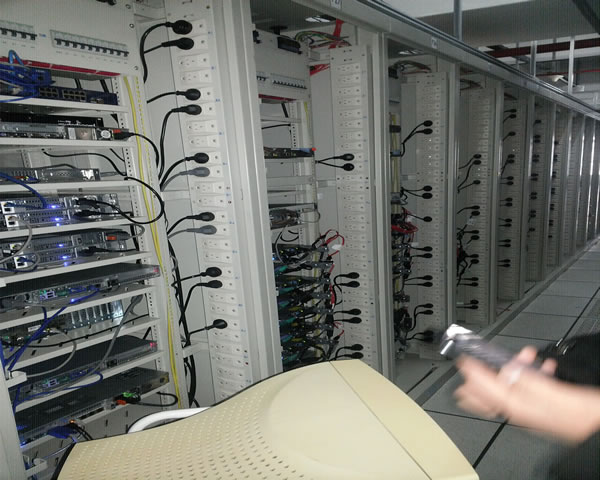
Business needs need to be clarified before acquisition: computing, storage, virtualization or edge deployment, etc., as well as compatible rack space, power and cooling requirements. Assess the life cycle, spare parts availability and long-term support costs, formulate acceptance standards and return conditions, ensure that procurement specifications match the existing environment, and reduce subsequent refurbishment and deployment risks from the source.
Key points for supplier selection and inspection
Choose a reputable vendor that can provide detailed equipment history and test reports. The inspection focuses on the appearance of the chassis, fan noise, solid state or disk health, memory integrity, BIOS/firmware version, and whether there are water stains or obvious damage. Ask the supplier to provide a complete hardware list and serial numbers for traceability and warranty negotiation.
Transportation and warehousing process management
In the transportation process, the equipment must be shockproof, moisture-proof, and anti-static, and appropriate packaging and logistics solutions must be adopted. When entering the warehouse, we will conduct arrival inspection, check the serial number and inventory, record the results of the initial inspection of appearance and function, and establish inventory entries and maintenance records for each server to facilitate subsequent refurbishment, allocation and asset management.
Server refurbishment process (hardware maintenance)
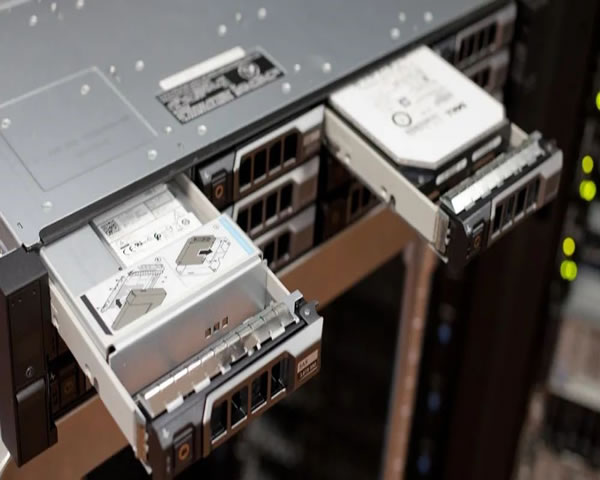
Renovation starts with a thorough cleaning, removing dust and replacing consumables such as thermal grease. Check all slots and connectors for memory, CPU, and hard drives. Replace or repair the faulty components found to ensure that the chassis, fans, power supplies, and cooling paths are restored to stable operation.
Storage and memory check
Perform integrity testing and bad sector scanning on storage devices to confirm the health of solid-state disks and mechanical disks. The memory must pass long-term stress testing and verification to confirm that there are no ECC errors or stability issues. Rebuild RAID and verify redundancy strategies when necessary to ensure data read and write stability and fault tolerance.
Mainboard and power supply maintenance
Motherboard inspection includes BIOS version, CMOS battery status, slot abnormalities, capacitor bulges, etc.; the power supply needs to be subjected to load testing and efficiency testing to verify its stable output under typical workloads. Prioritize replacement of components showing signs of failure to avoid intermittent failures in subsequent deployments.
System installation and secure wipe
Before system installation, old data must be securely erased or physically destroyed in compliance with regulations, and applicable data protection regulations and corporate policies must be followed. Then proceed to firmware upgrade, operating system installation and driver configuration. Complete basic image deployment with repeatable automated scripts to reduce problems caused by manual configuration differences.
Testing, performance benchmarks and stability verification
After completing the installation, perform functional testing, stress testing and performance benchmarks to verify the performance of I/O, network throughput, CPU and memory utilization in the target scenario. Conduct long-term stability tests to observe temperature and error rates, and record test results for reference in change management and subsequent capacity planning.
Deployment, monitoring and maintenance strategies
When deploying, use the production environment method in batches, and first verify the actual performance in non-critical business or grayscale environments. After going online, the monitoring platform continuously collects hardware and service health indicators, and provides early warning based on the alarm strategy. Establish regular maintenance plans and spare parts pools to improve availability and shorten fault recovery time.
Compliance, environmental protection and document management
Ensure that refurbishment and data removal processes meet U.S. and state regulatory requirements, including e-waste recycling and data privacy compliance. Keep complete maintenance records, firmware versions and test reports for each device to form an auditable document chain to facilitate compliance inspections and future asset disposal decisions.
Summary and suggestions
Practice has proven that systematic processes and strict acceptance standards are the key to successfully acquiring second-hand servers and deploying them safely. It is recommended to develop standardized SOPs, introduce automated testing and monitoring, and establish long-term cooperative relationships with reliable suppliers. Through risk control and continuous improvement, we can reduce costs while ensuring business stability and compliance.